
YouTube Shorts Short Video Feature Is Live With Beta Version
Shorts is an excellent innovation for creating shorter videos on YouTube and interacting with your followers in a faster and more natural way.

What are YouTube Shorts?
After the shutdown of Google+, Google shifted its focus to YouTube. Since then, YouTube has expanded beyond being a platform solely for watching uploaded videos and has started developing new features with confidence. One of these features is YouTube Shorts. In this document, we will examine YouTube Shorts in detail.
What are YouTube Short Video Features?
With the powerful vertical video feature, you can shoot impressive videos of 60 seconds or less that will capture your audience's attention. With Shorts, you can effortlessly reach up to an astounding 2 billion users with your captivating videos.
The intuitive application allows you to easily shoot and edit videos without the need for any additional apps, giving you full creative control over your content.
You have the ability to effortlessly upload videos from either your mobile device or computer, as long as they meet the necessary requirements.
Feel free to enhance your short videos by adding music or YouTube videos to them.
With our editing options, you'll be able to effortlessly adjust the video speed, enhance the visual aesthetics by applying filters, and further captivate your audience by adding text overlays to your video.
With YouTube Shorts, you can easily create 60-second videos, which is a step up from Instagram Story's time limit. Additionally, it provides a 15-second feature for shorter clips.
When shooting a video, you have the ability to pause, rewind, and retake certain parts, or even speed up certain parts of the video to your liking.
In my opinion, one of the standout features is the adjustable volume level. Unlike Instagram, where all music plays at the highest level and doesn't allow adjustments, YouTube Shorts has a volume adjustment option for your video, giving you more control over your content.
How to Create a YouTube Short Video?
To create a YouTube Short, simply open the YouTube application and confidently click the "Create" button located at the center of the screen. Next, select "Create a Short" with confidence.
To add music to your Short, confidently click "Add Music" located at the top of the screen, and then choose the desired music. Adding music to your video is free of charge.
Remember, YouTube Shorts is a public feature, so there's no need to be a famous YouTuber or a social media phenomenon to use it confidently.

How Can I Reach More People and Get Impressions with YouTube Shorts Video?
YouTube has provided a solution to this question. To increase the chances of your short video reaching a wider audience and receiving more impressions, it's recommended to use the #shorts tag in the video description when uploading.
Furthermore, Shorts videos are prominently featured on the YouTube homepage, providing greater exposure to a larger audience.
As an added benefit, subscribers can easily access your Shorts by clicking on the Shorts tab located at the top of your YouTube channel.
Comments
Most read
November 2024 - Google
Google Ads is an extremely important advertising platform for all businesses. To effectively use this
In the Name of the
Colors are more than just visual details. They are powerful psychological tools that embed in
Related articles
Improving E-commerce Efficiency Through The Use of Artificial Intelligence
We are pleased to invite you to our upcoming event titled "E-commerce with Artificial Intelligence". The event will take place on Tuesday, November 28th, at 6:00 PM, at Kolektif House Levent.
What should we pay attention to in content when doing E-mail marketing?
For countless businesses, email marketing is an essential marketing strategy. It allows you to confidently connect with your existing customers or potential customers who have not yet made a purchase but may have an…

Marketing Techniques on Shopify 1
Shopify is an exceptional e-commerce infrastructure platform, especially for companies aiming to expand their business globally.
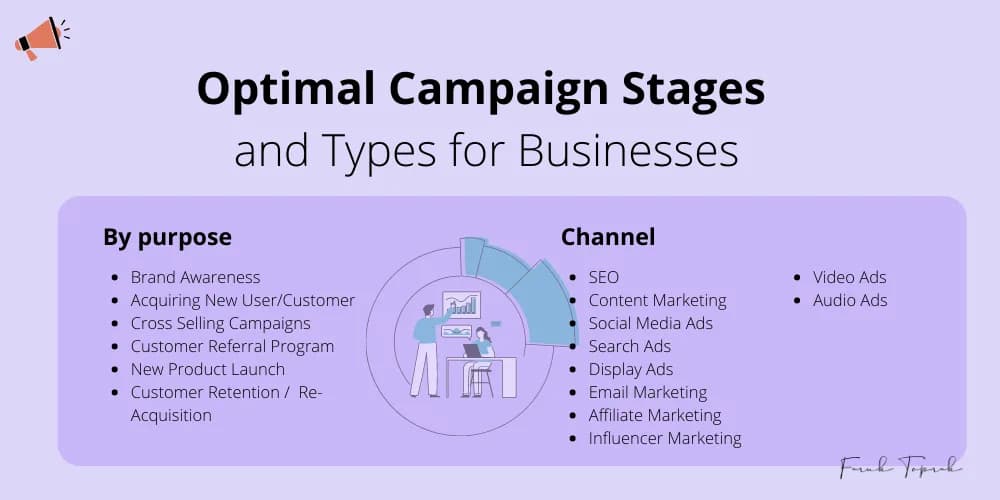
Optimal Campaign Stages and Types for Businesses
When our job was marketing, I was frequently asked about the types of campaigns or marketing activities that needed to be done. To solve this problem, I wrote an article on the subject.